So… You want an app to plan your flight. All you have got is a PC, VSCode and a Pro account to Claude. You have got a word document version of the pilot handbook for the airplane with all the data, and of course the internet, where all the weather and FAA data is located.
It is 8AM, and you want to leave at noon. What do you do? — WRITE AN APP of course!
That is what we did. Claude and I… In under four hours. And it worked. And I flight tested it in the actual airplane!
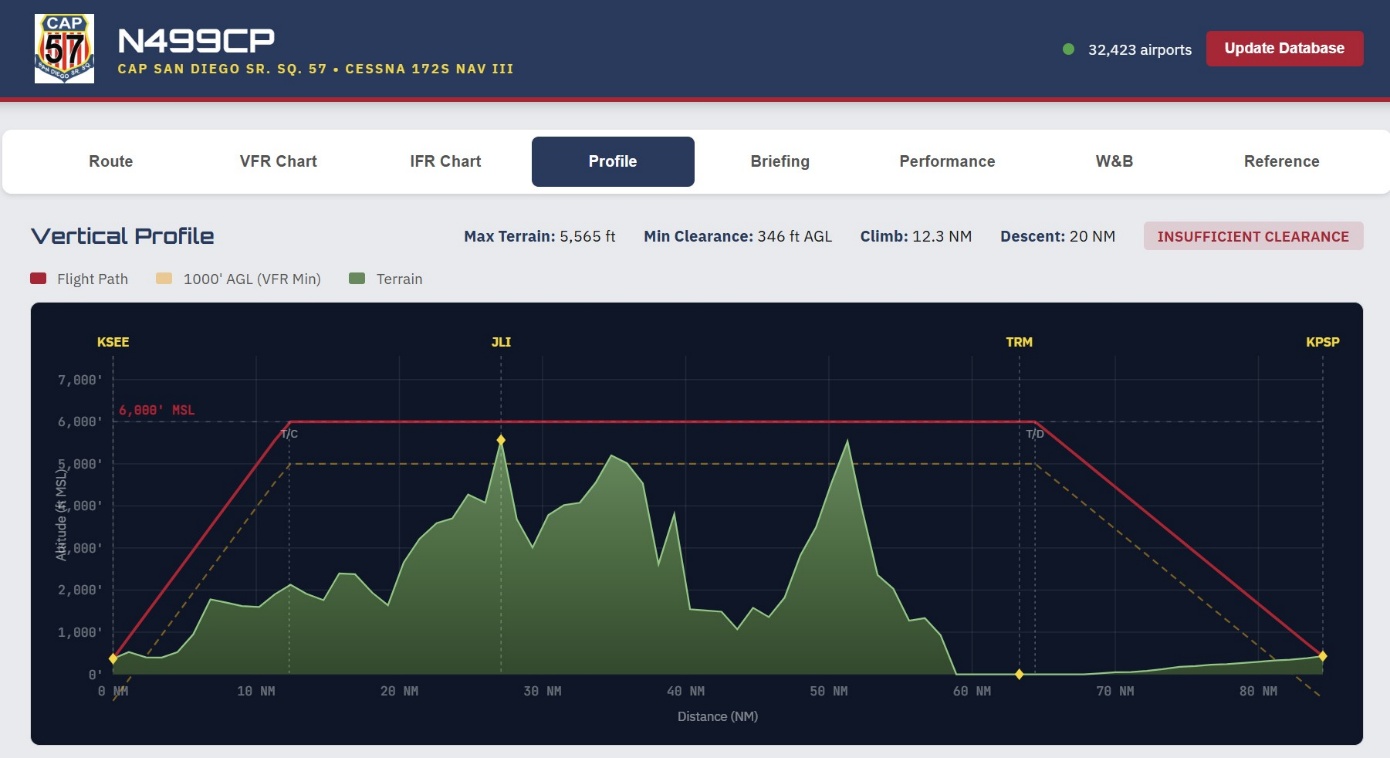
How much fuel will I burn? How long will it take given factors like wind, temperature, weight and balance… Will the altitude I select let me clear all the terrain adequately, or might I end up hitting a mountain? Here is what we came up with:
The Airplane
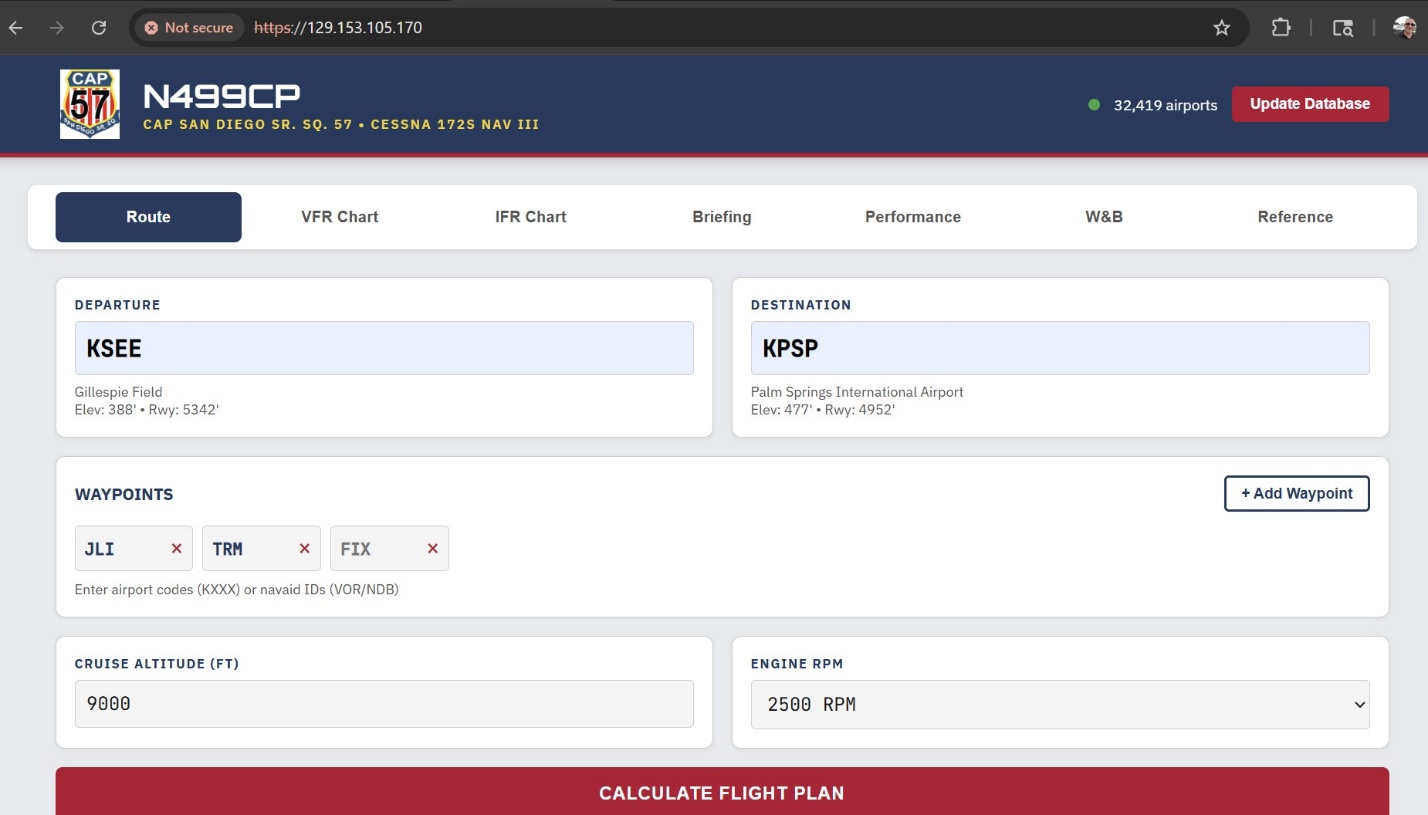
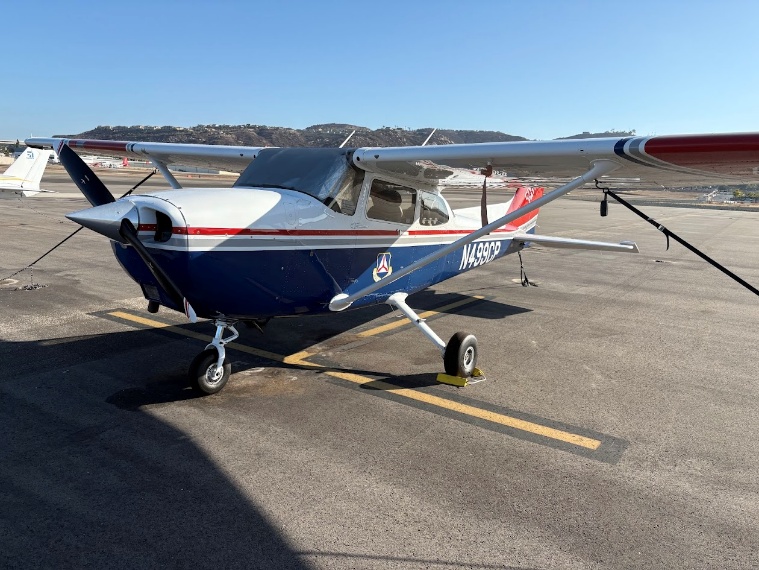
2020 C172S NAVIII — a Technically Advanced Aircraft. Just for fun, it is branded for my Civil Air Patrol squadron. It takes input from the user, including departure airport, destination, and waypoints.
Route Planning and Calculations
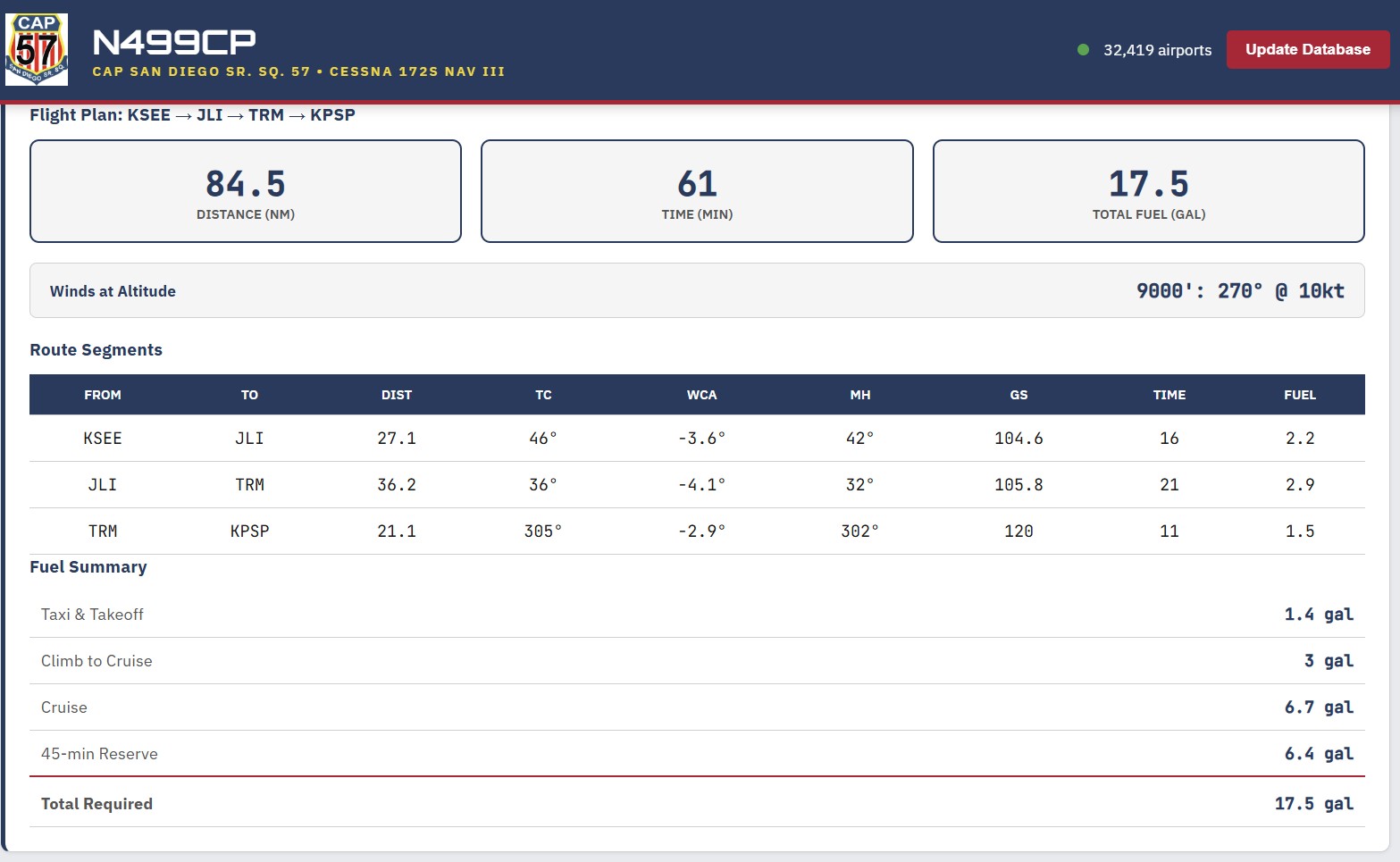
Fuel, time and distance is calculated, taking wind and other environmental factors into account:
Live Data Integration
The app downloads FAA airport and Navigational Aid data via API, and separately weather from government sources via API.

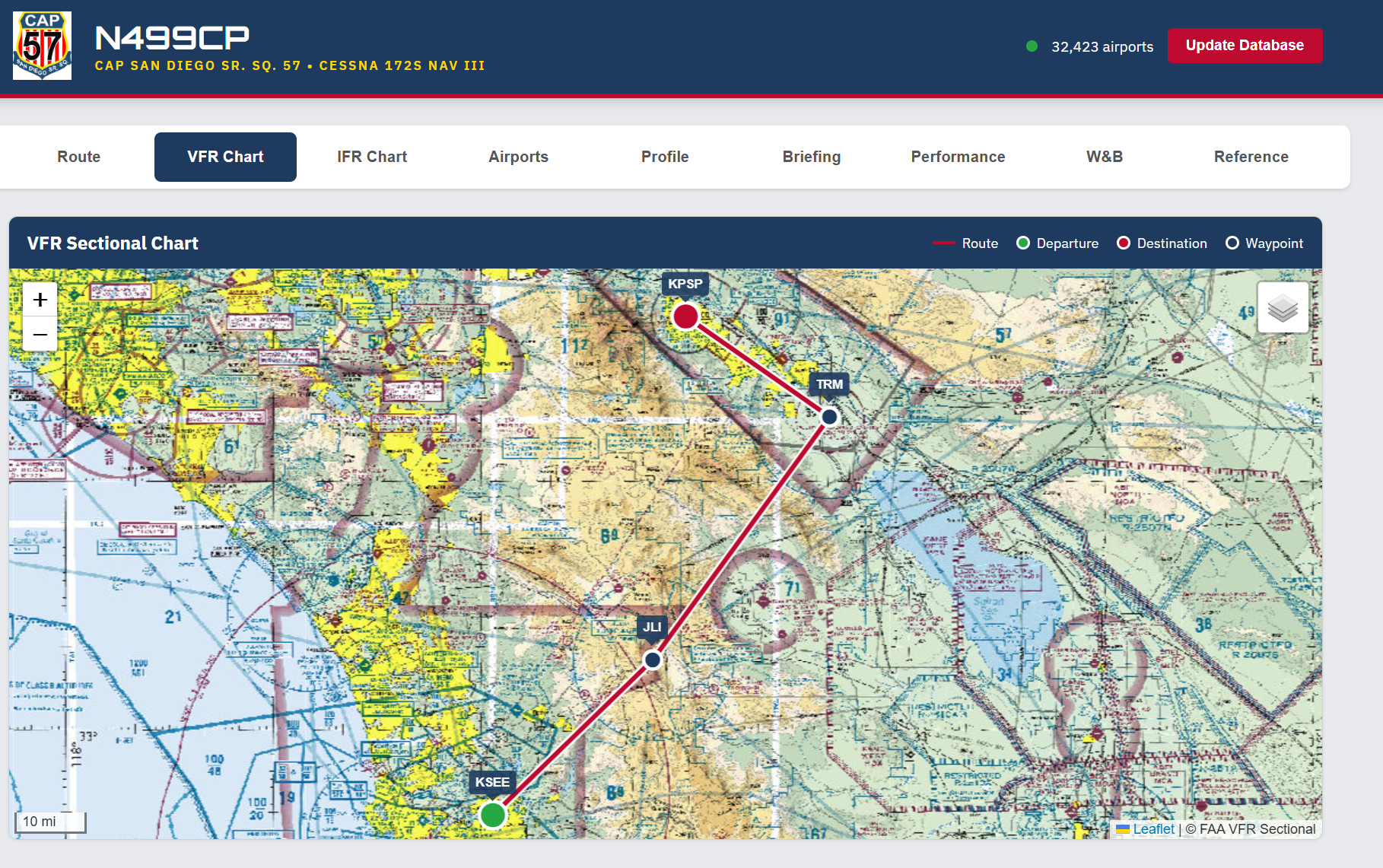
Navigation Charts
Charts are downloaded and up to date:
Terrain Clearance
Vertical profiles are analyzed for correct altitude selection and terrain clearance:
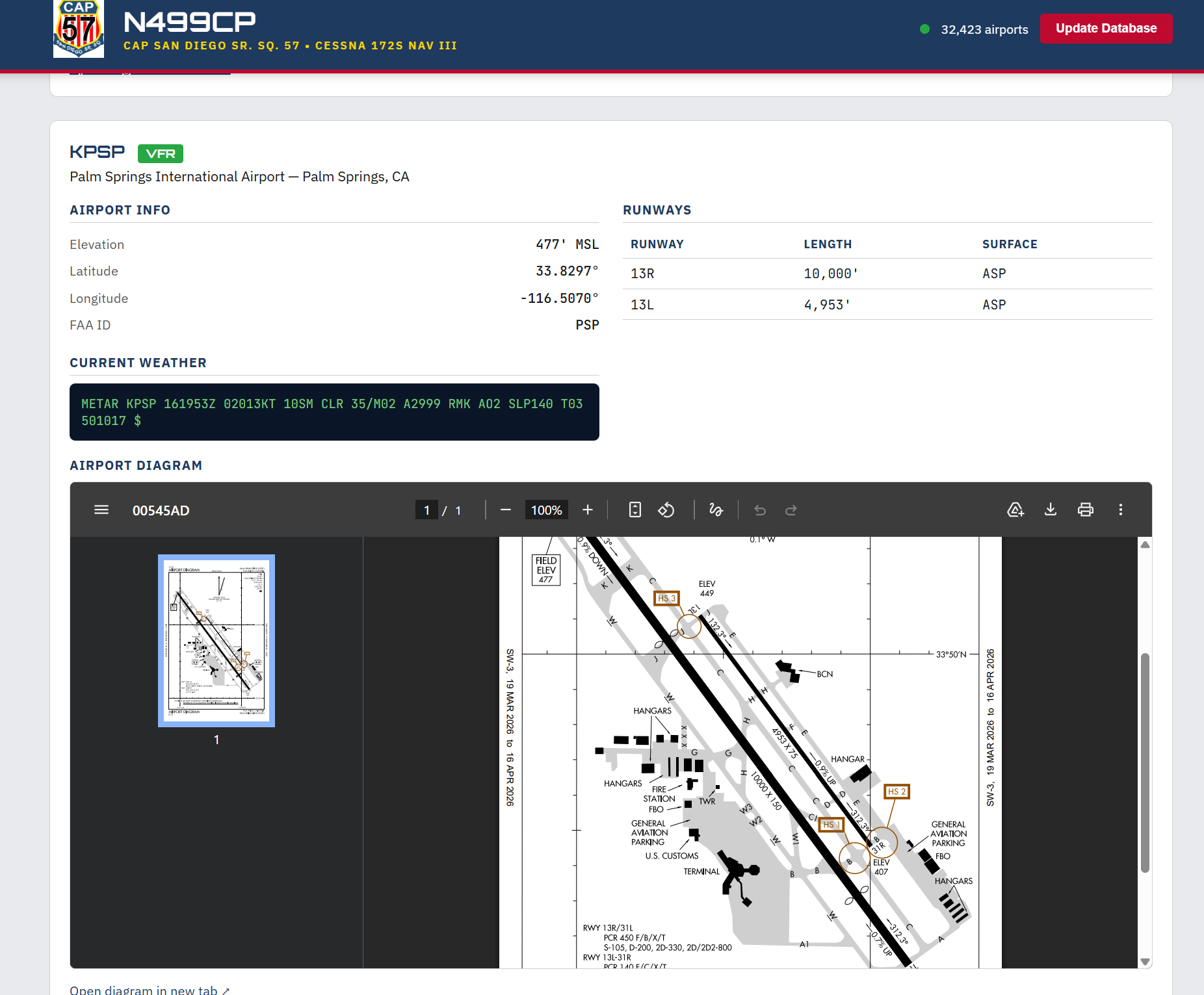
Airport Data
Airport data including runway diagrams, current weather and runway lengths are included!
The Bottom Line
This is not a perfect app, and I do not let anyone use it but me. But it is a great example of what can be accomplished with a Pro Claude account and a couple of hours!
Tools: VSCode, Claude Plugin, and that is it!
Give it a try some time. Happy coding and fly safe!